How many cities have I been to? Make a map of every one
Your photos already know. Every photo taken with a location sits in a city or a town, so your library holds the list. You can count them from the map in the Photos app, or let Ricordo light up every city on a map and count them for you.

Ricordo · Every city you’ve been to, countedFree on the App Store, for iPhone and iPad
Download on the App Store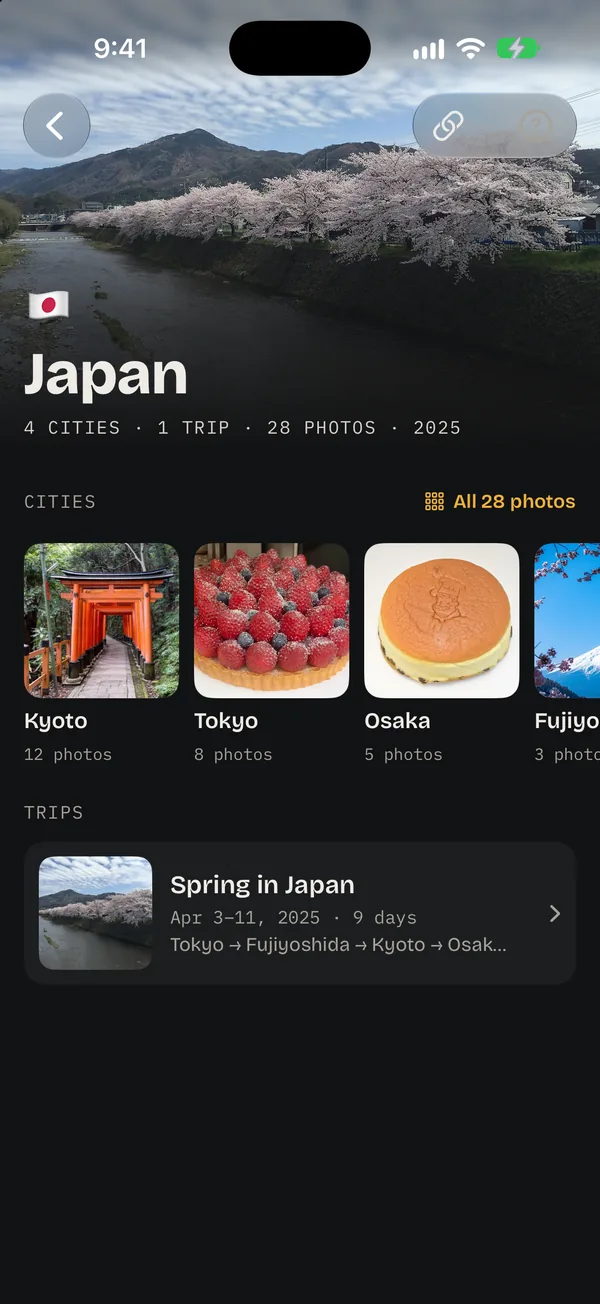
What counts as a city?
There’s no single rule, which is why two people with the same trips get different numbers. Some count only the places they slept, some every town they stopped in, some only capitals. Pick one rule and keep to it.
A rule that works well: a place counts if you took a photo there. It’s easy to check, it includes the day trips, and it leaves out the motorway services.
Count them from the Photos app
- Open Photos. On iOS 18 and later, scroll to Collections and tap Map. On iOS 17, open Albums → Places.
- Zoom out to a region, then in, and note each city that has photos.
- To check a city, type its name in Search: Photos shows what you took there.
It works, but it’s slow for a big library, and photos without a location don’t show. More in seeing your photos on a map.
Let your photos count them
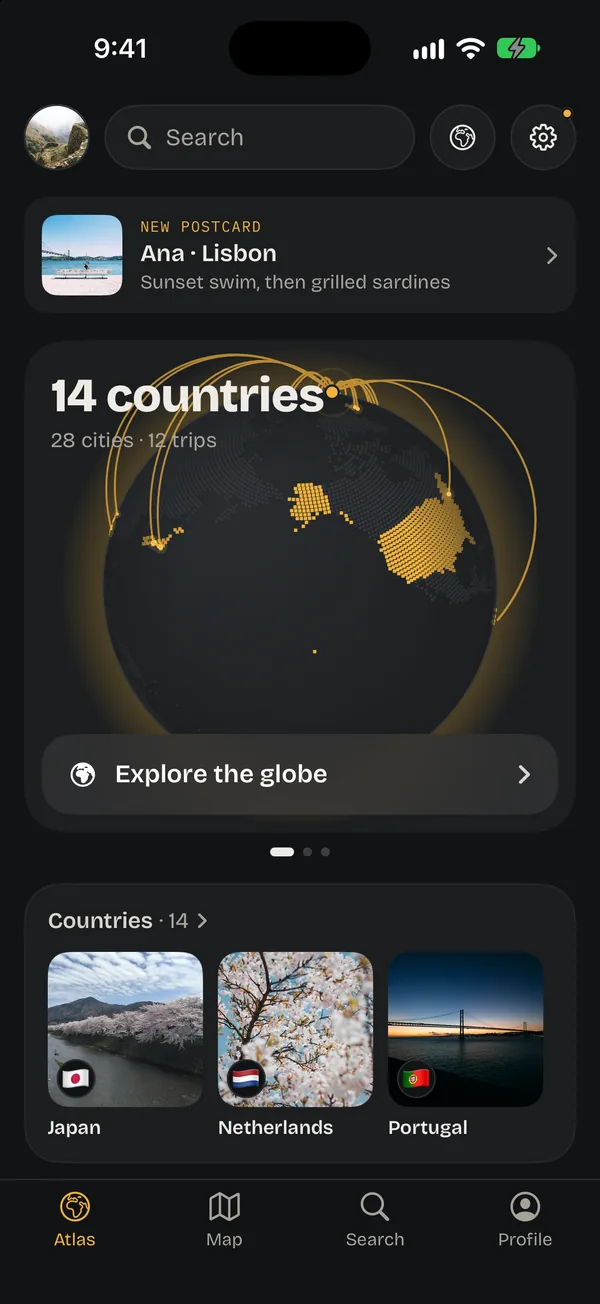
Ricordo reads where each photo was taken, on your iPhone, and names the place from 160,000 cities and towns kept on the phone, every place with about 1,000 people or more. Then it counts:
- Your number at the top: countries, cities and trips, on the Atlas.
- Every country’s cities: open a country to see its cities, its trips and the photos from each.
- Milestones at 10, 25 and 50 cities, on your profile.
Neighbourhoods count as their city, so a weekend across Tokyo is one city, not six. Photos your iPhone didn’t locate can be given a place in Where were you?, a moment at a time, and the count catches up.
See them all on a map
On Ricordo’s globe your cities light up, and on the map every place shows its best photo and how many you took there. Pick a year to see that year’s trips drawn across the map, or press play on the time machine to watch your world fill in, year by year.
For countries alone, our free countries visited map works in any browser. For states and regions, see how many states have I been to.
Questions
How do I count how many cities I’ve visited?
Pick a rule, such as every place you took a photo, then count them from the map in the Photos app, or let Ricordo count every city in your photos for you.
Can I make a map of the cities I’ve been to on iPhone?
Yes. Ricordo lights up every city in your photos on a globe and a map, and shows how many photos you took in each. It’s free.
What counts as a city in Ricordo?
Any city or town of about 1,000 people or more where you took a photo. Neighbourhoods count as their city.
Does it count cities from before I had an iPhone?
It counts every photo in your library with a location, including older ones you’ve imported. Photos without one can be given a place by hand.
Does Ricordo upload my photos to find the cities?
No. The places are named on your iPhone from cities kept on it, with no connection needed.