Your atlas, your style.
Ten styles change how all of Ricordo looks: the colours, the type, the shapes, and how your Profile is laid out. Your photos and trips stay exactly as they are.
Four originals, in the colour you pick.
Designed for Ricordo, each with a Profile you won’t find anywhere else: a magazine masthead, a stamped passport, a full-bleed cover.
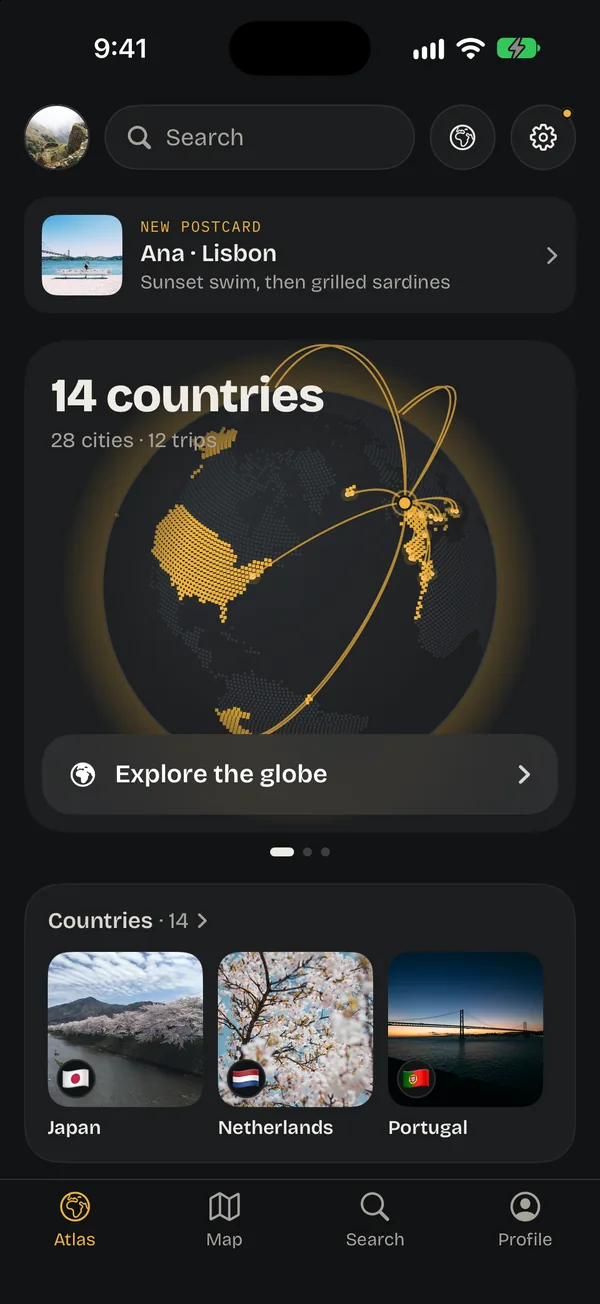
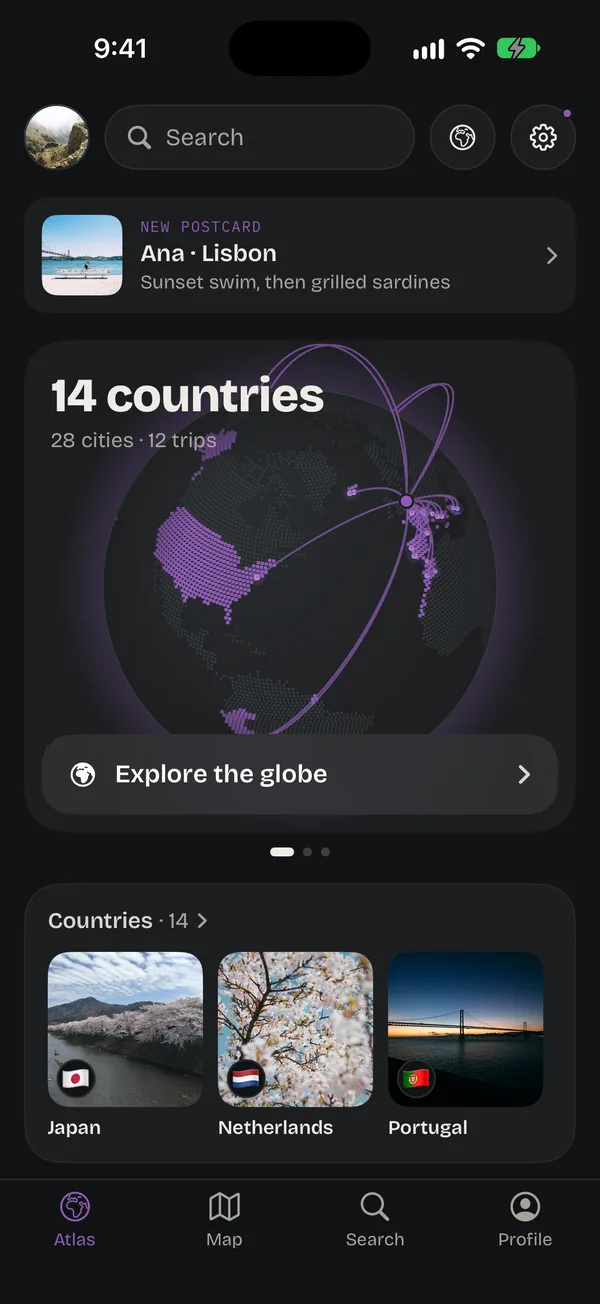
Atlas
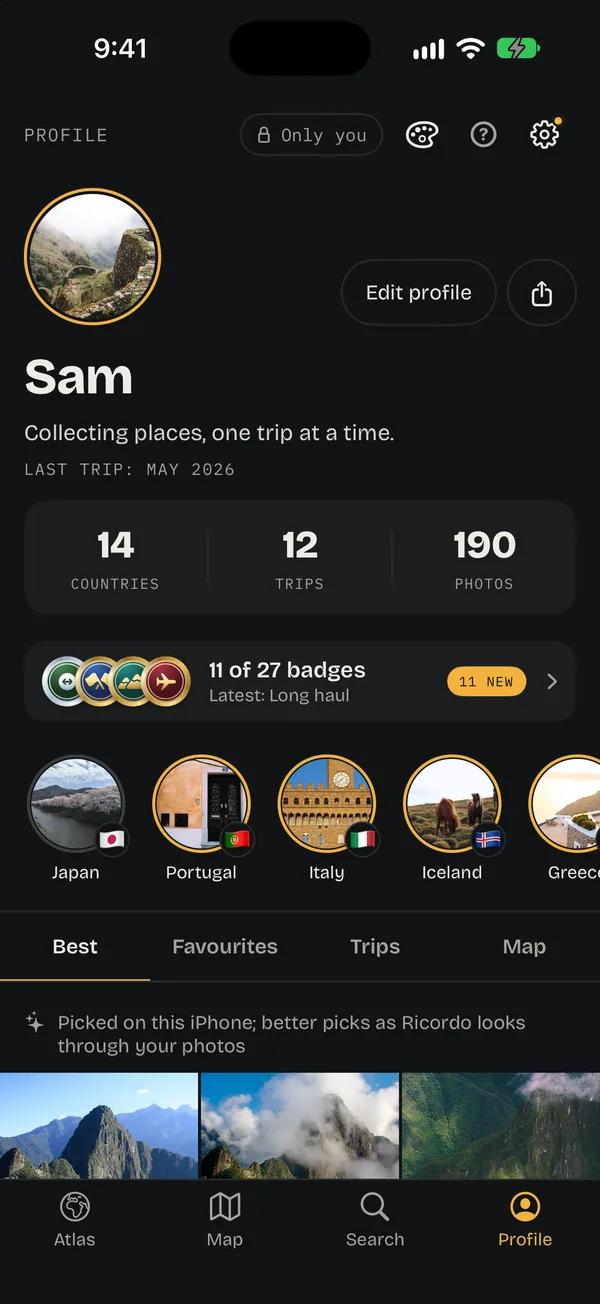
DarkFreeRicordo’s own: dark and photo-first, metadata in mono.
Your numbers in a strip, highlights in circles, and tabs for your best photos, favourites, trips and map.
- Bricolage Grotesque
- Your colour
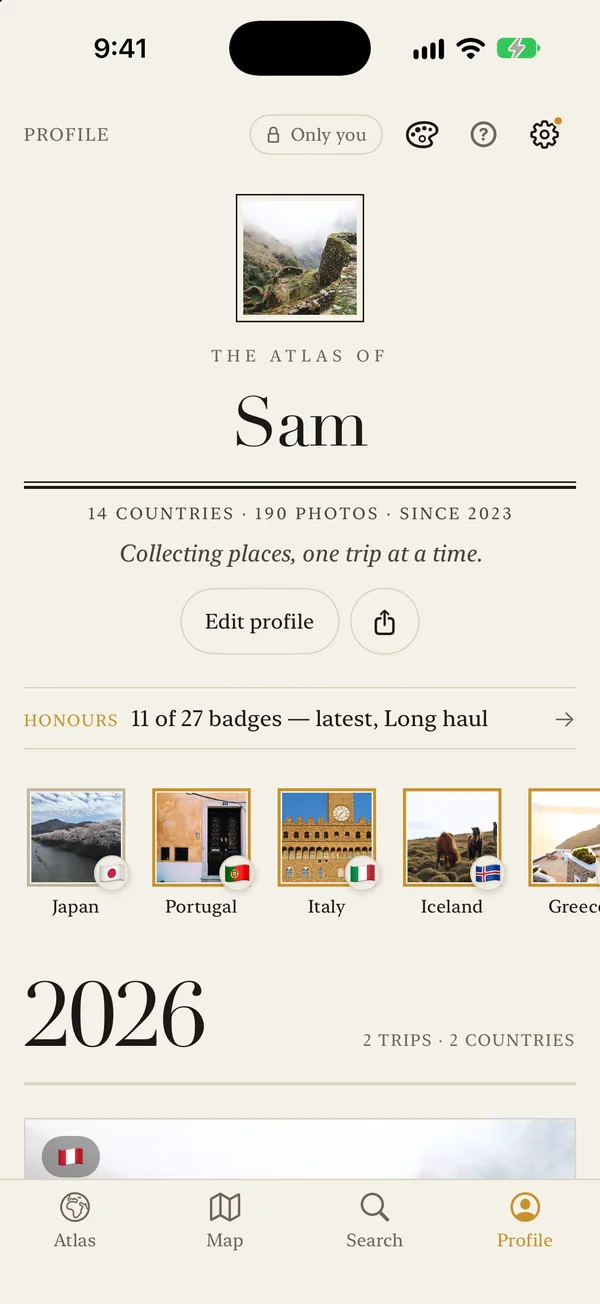
Editorial
LightWarm paper and serif headlines; your trips as cover stories.
A magazine masthead, “The atlas of Sam”, over a double rule, your badges as honours, and each year a chapter.
- Didot
- Your colour
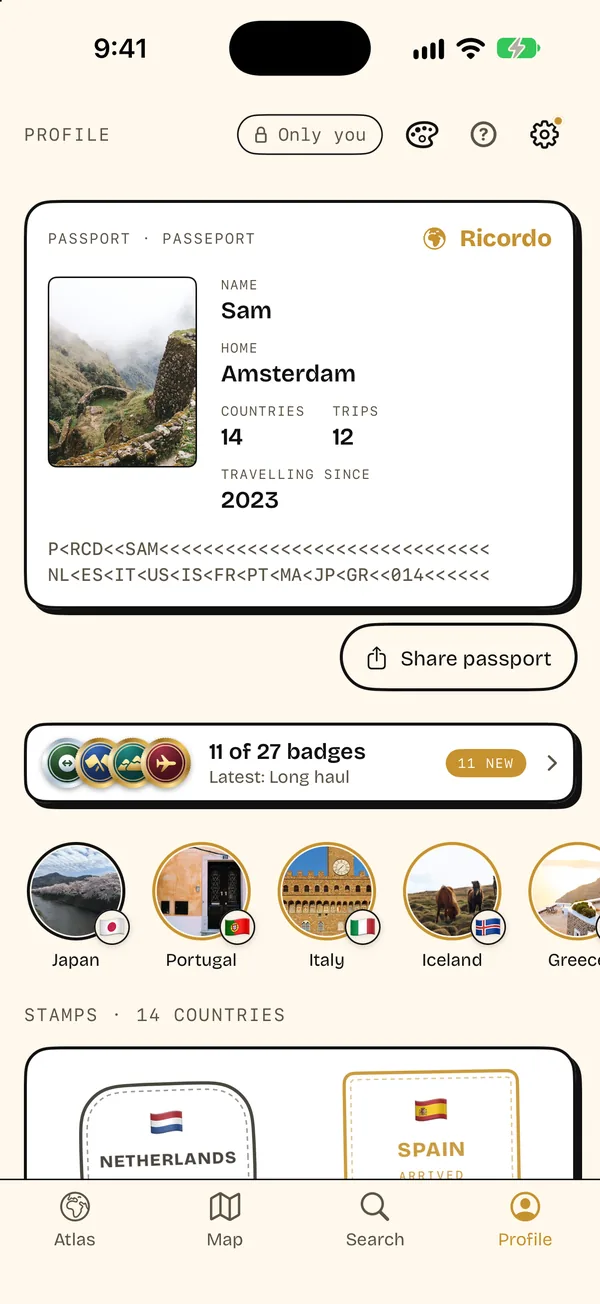
Pop
LightThick outlines and hard shadows; a passport stamped for every country.
A passport page with your photo, home and the year you started, a machine-readable line of your countries, and a stamp for each one.
- Bricolage Grotesque
- Your colour
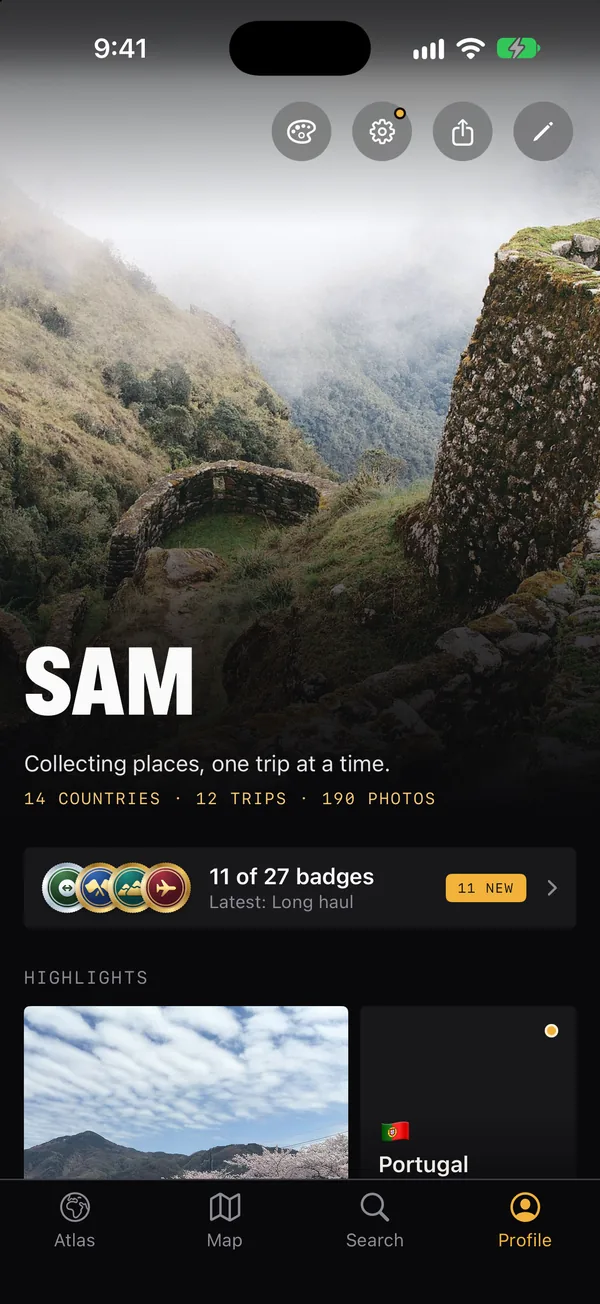
Kinetic
DarkDark and loud: a full-bleed photo and giant condensed capitals.
Your best photo runs to the top of the screen, with your name across it in giant capitals.
- SF Condensed, black
- Your colour
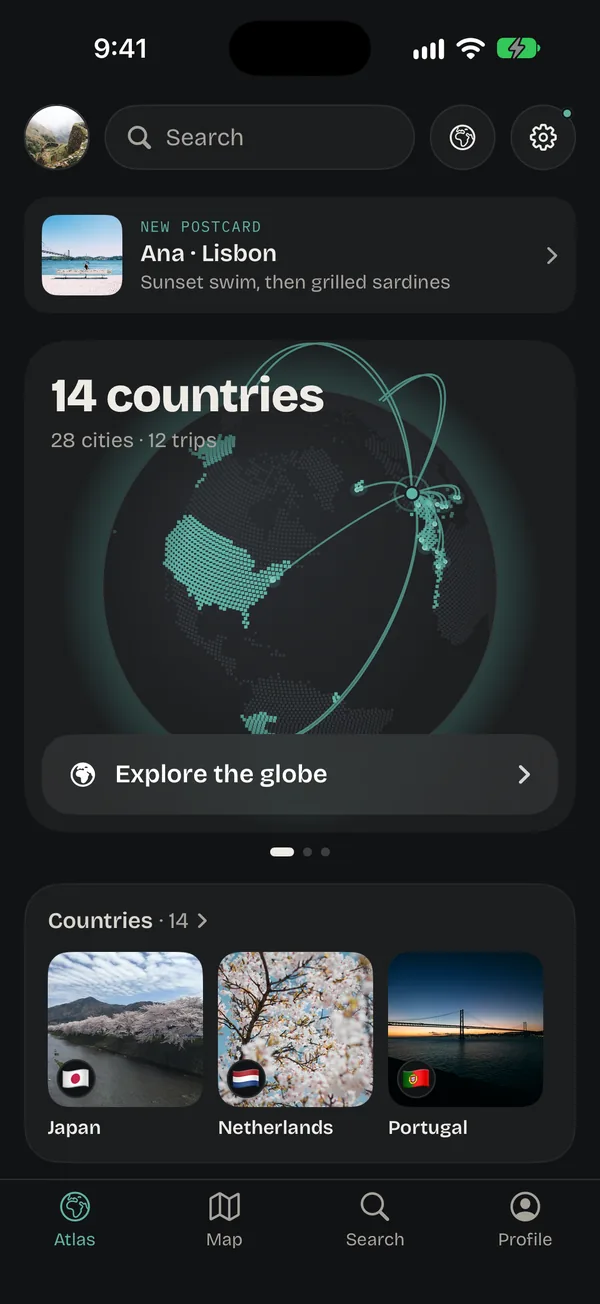
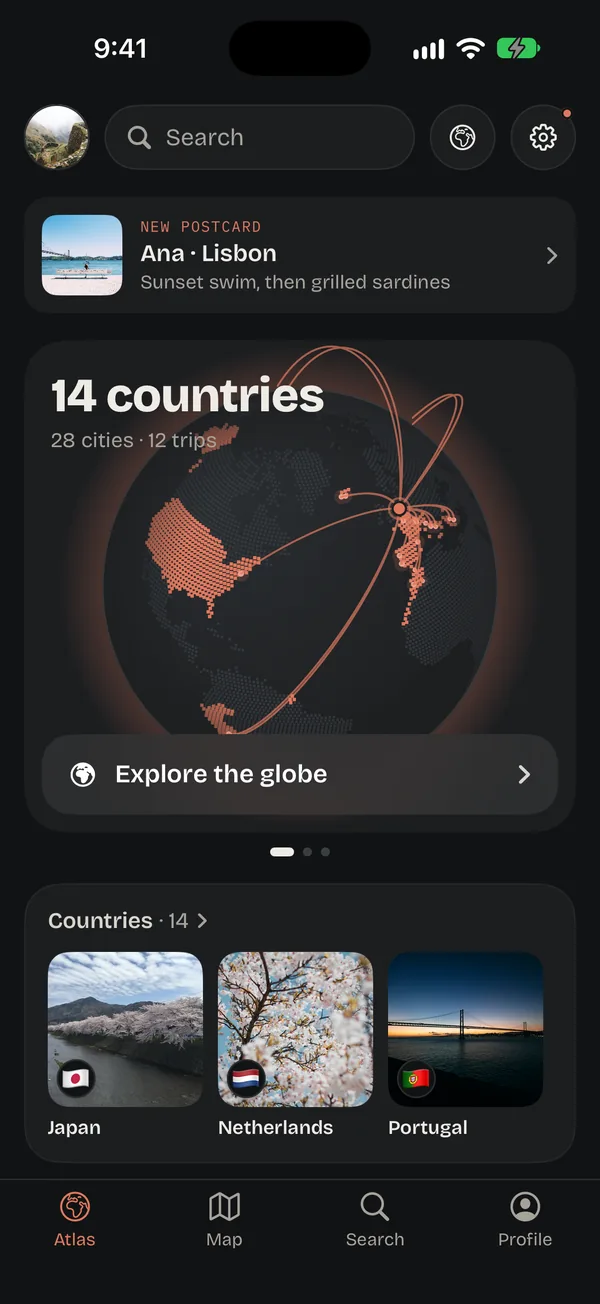
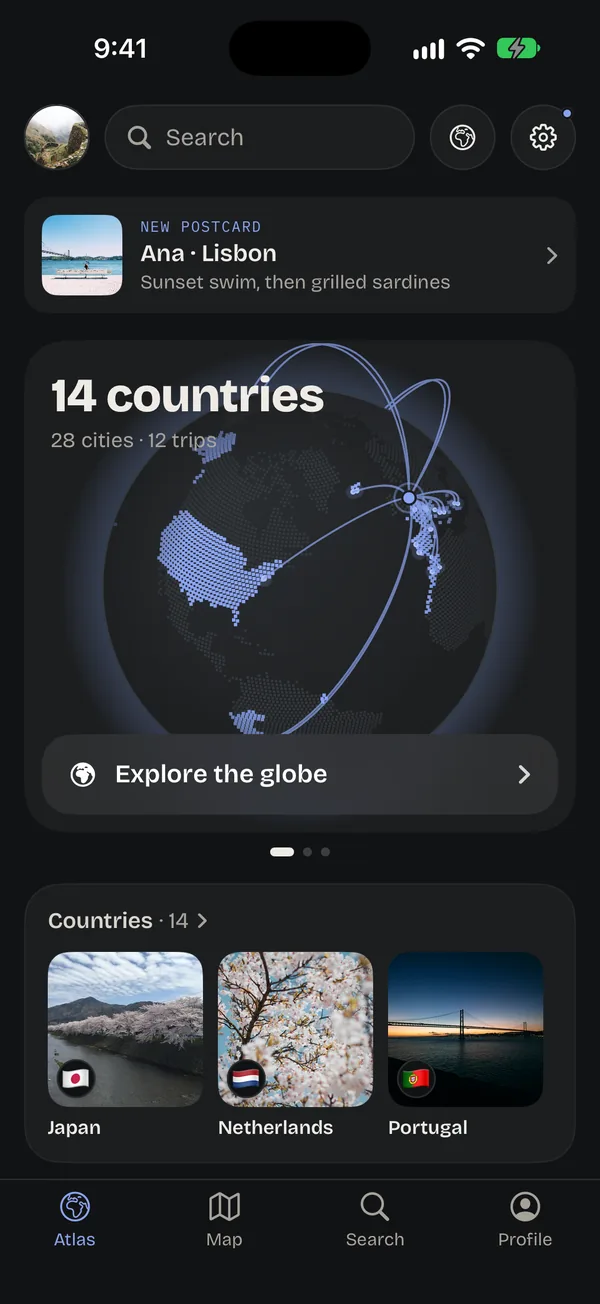
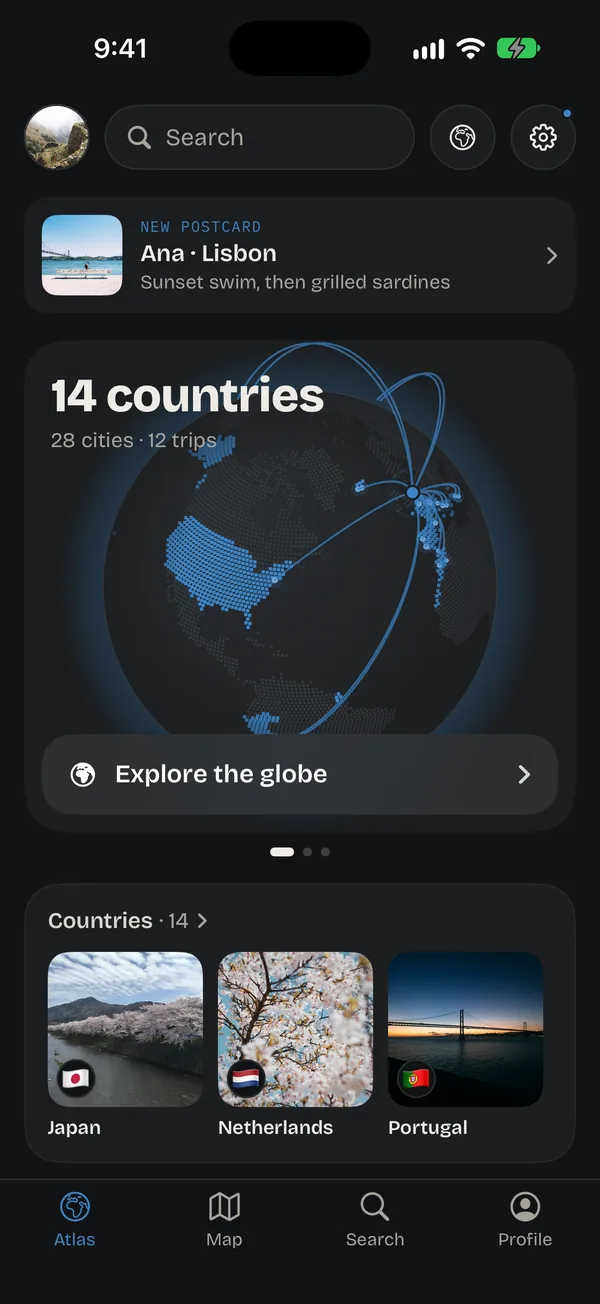
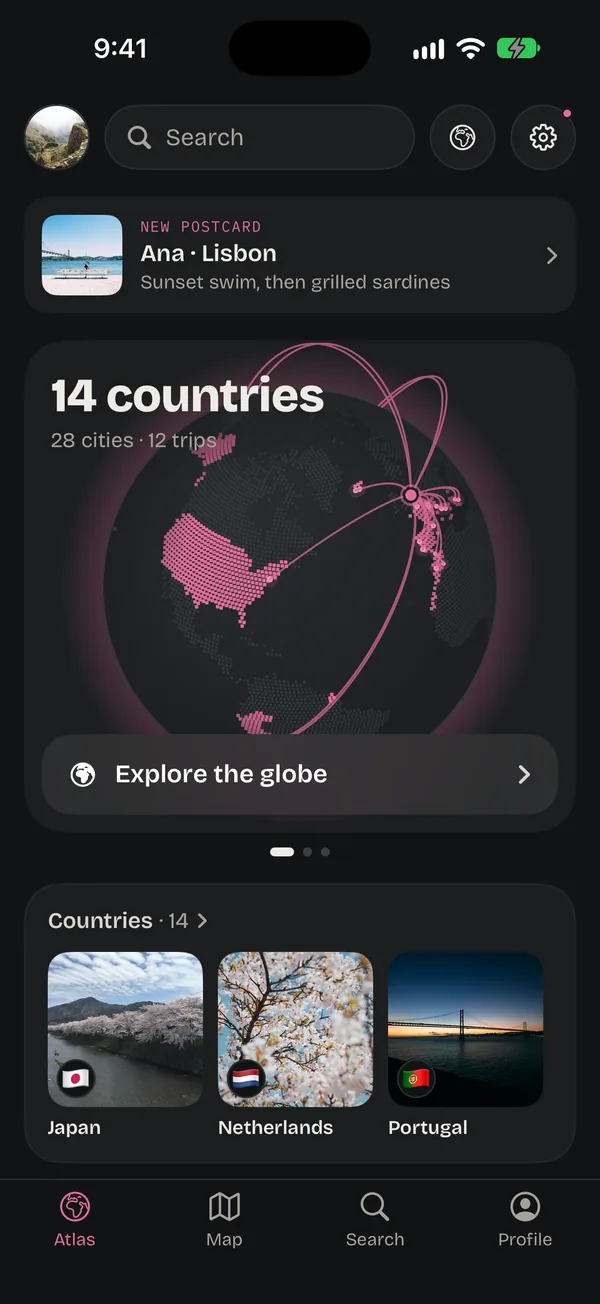
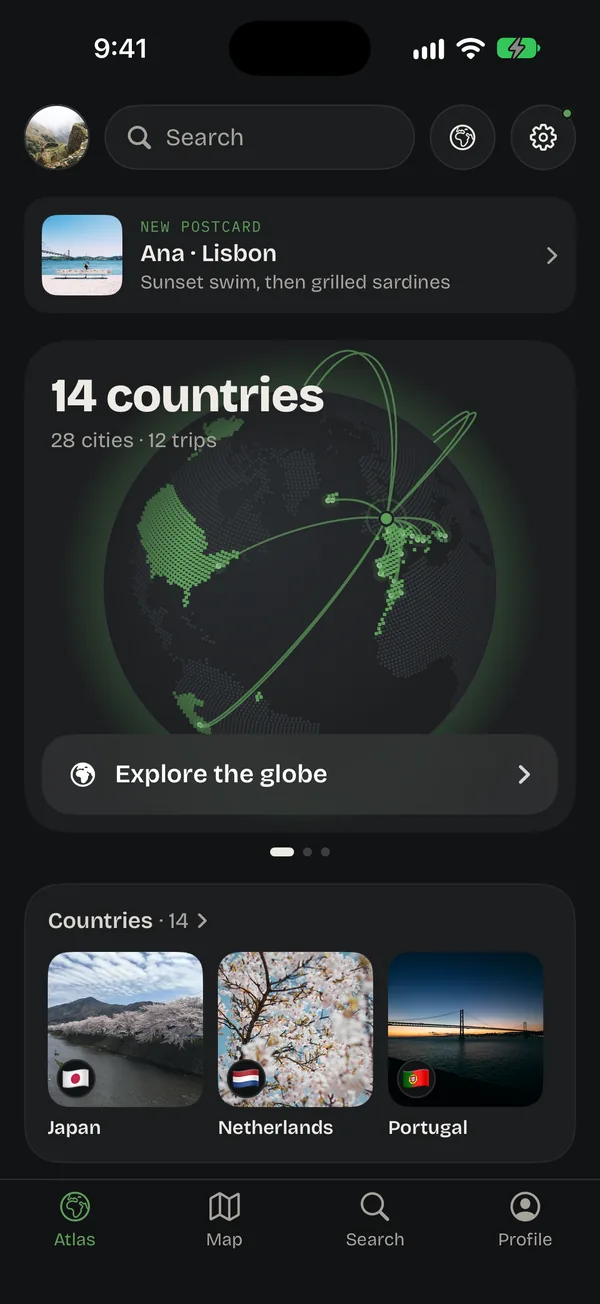
Ricordo’s own styles wear your colour.
Atlas, Editorial, Pop and Kinetic come in eight colours. The globe, the buttons, the highlights and the tab bar all follow it.
Six layouts you already know how to read.
Numbers beside your portrait, trips as posts, a wall of photos. Each one has its own name and colours, and shows your travels instead of a feed.
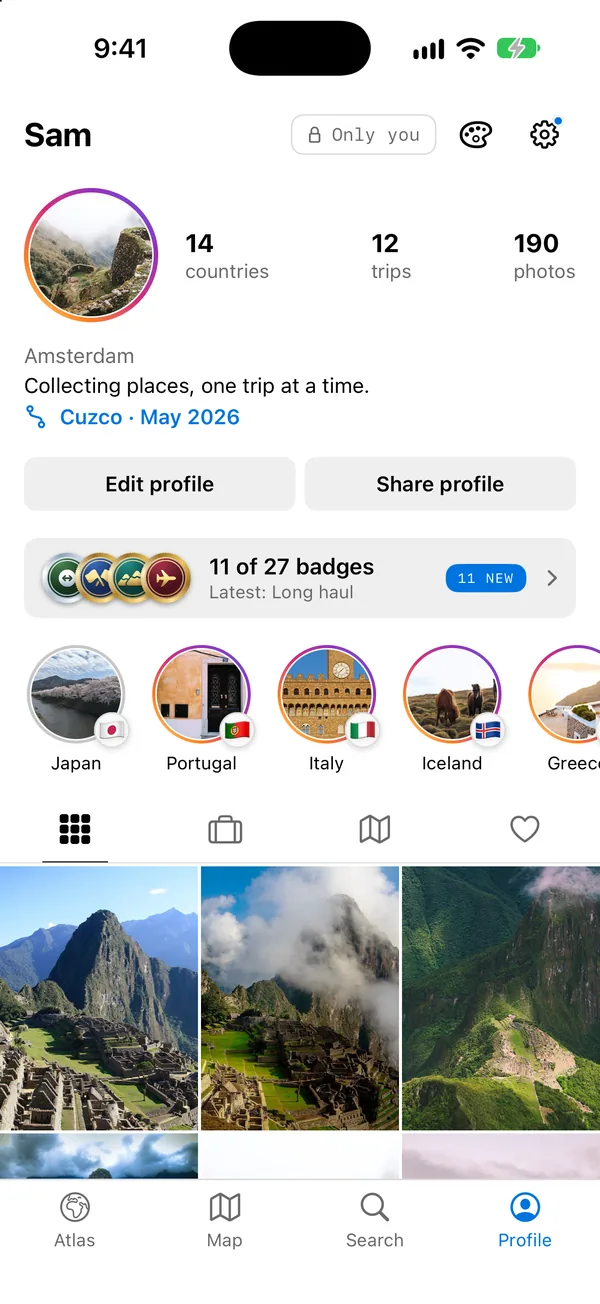
Grid
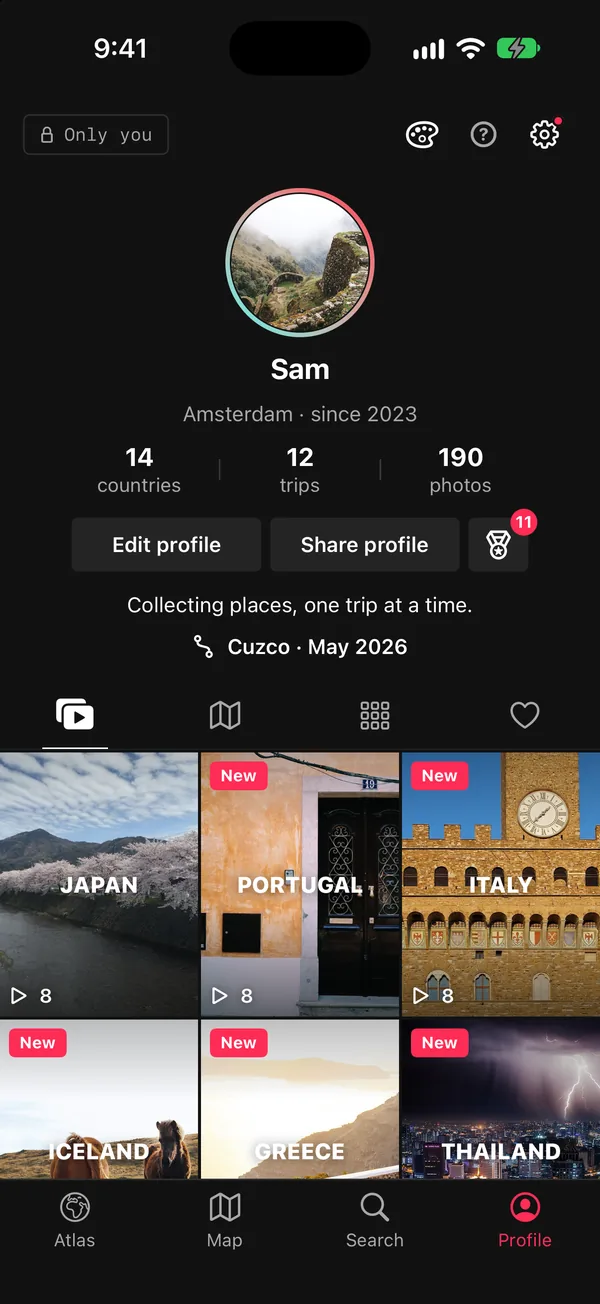
LightFreeYour numbers beside your portrait, rings on new highlights, a tall photo grid.
Counts beside a ringed portrait, gradient rings on the highlights you haven’t seen, and icon tabs over a grid of photos.
- SF Pro, bold
- Its own colour
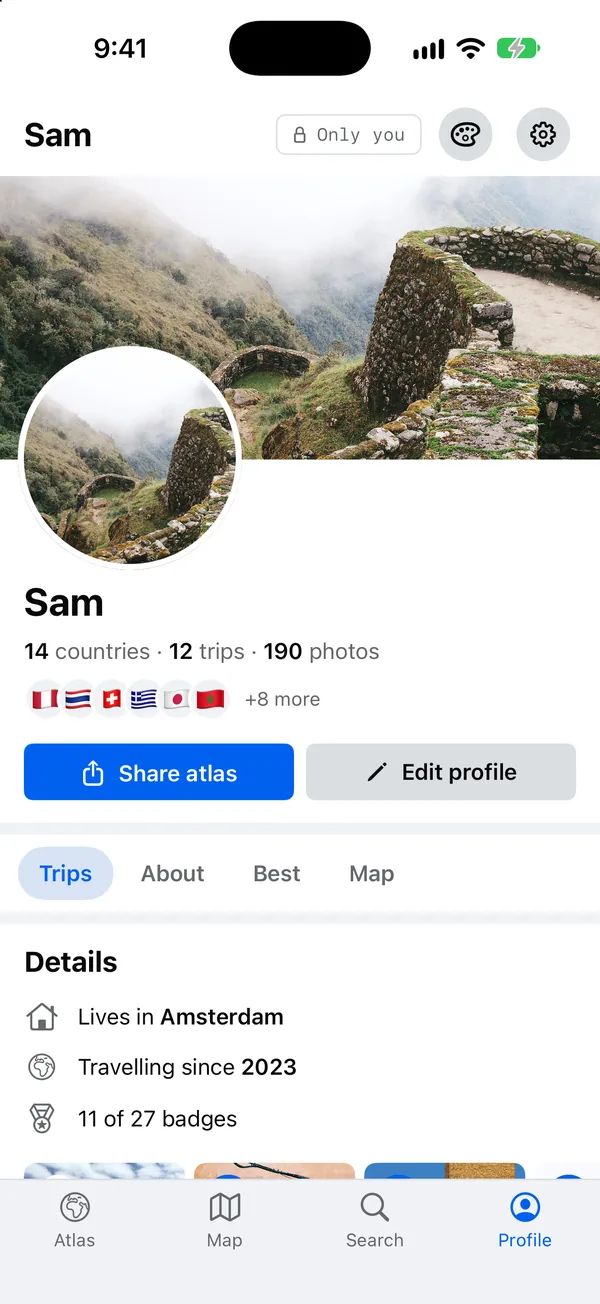
Wall
LightA cover photo, your details, and every trip as a post.
A cover photo and a big portrait, your flags in a row, details like where you live, and every trip as a post.
- SF Pro, bold
- Its own colour
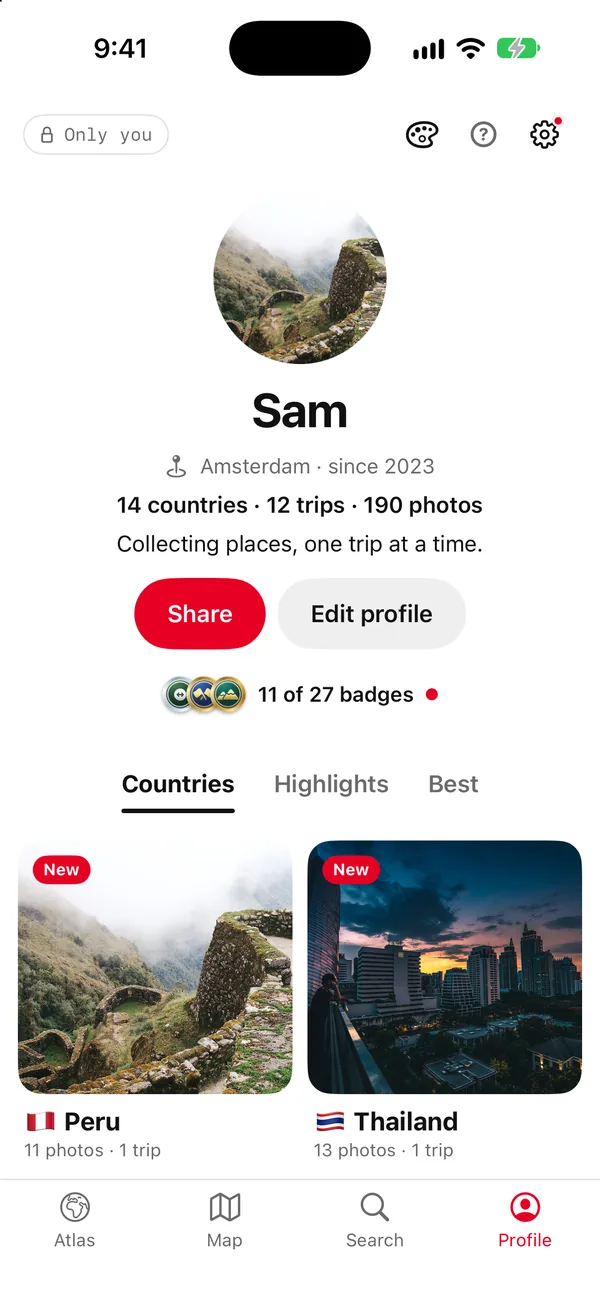
Board
LightA centred portrait, each country a board, a wall of photos.
Your portrait in the middle, a red Share button, each country a board of its covers, and your best photos as a wall.
- SF Pro, bold
- Its own colour
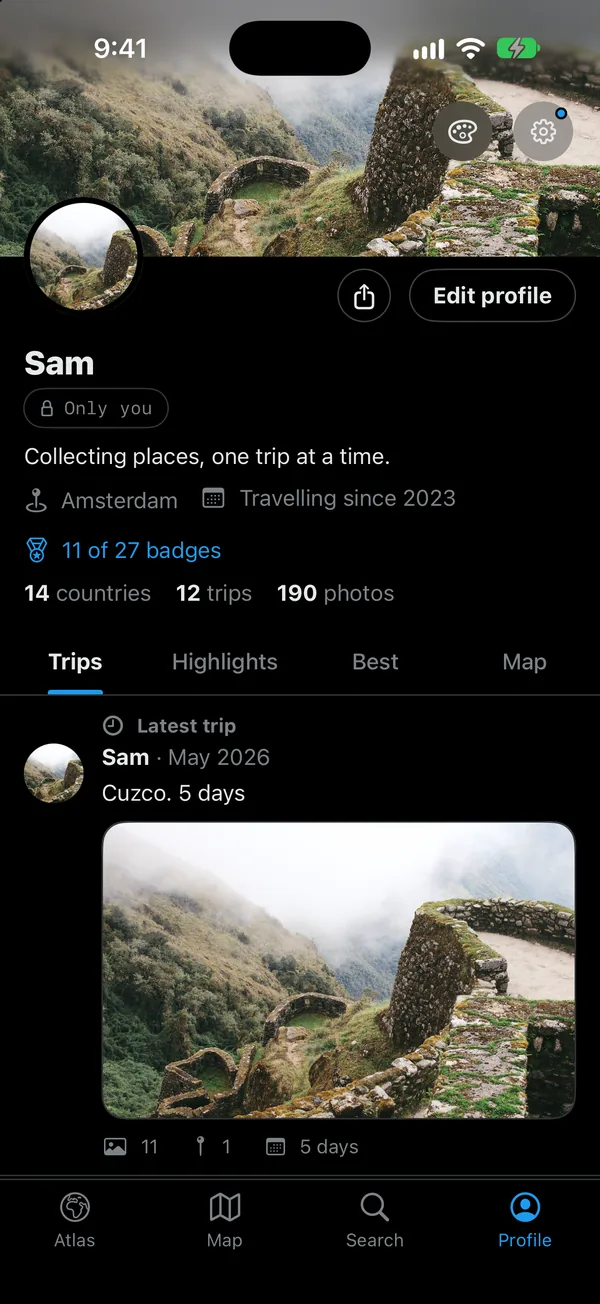
Timeline
DarkBlack, with a banner, your latest trip on top and every trip as a post.
A banner from your latest trip, and every trip as a post with its photos, places and days.
- SF Pro, heavy
- Its own colour
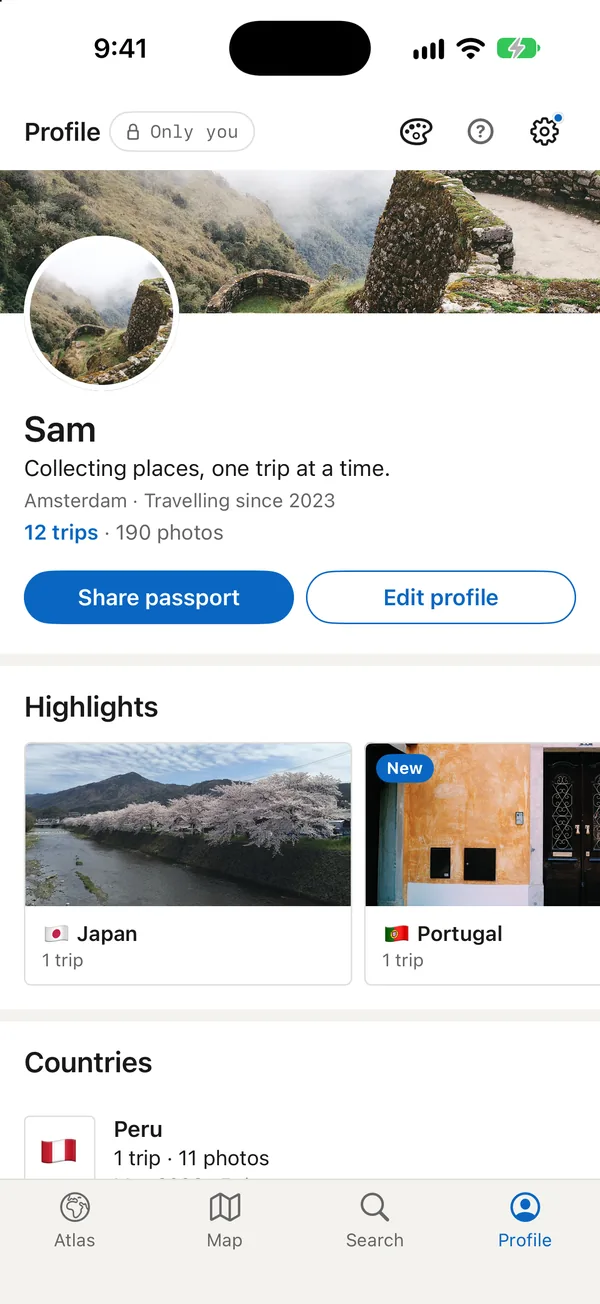
Résumé
LightCountries listed like experience, badges like certificates.
A banner and a headline, highlights as featured cards, each country listed like a job with its span and cities.
- SF Pro, semibold
- Its own colour
Loop
DarkDark, your numbers centred, every highlight a tall tile that plays.
A centred, ringed portrait, your numbers between dividers, and every highlight as a tall tile you can play.
- SF Pro, bold
- Its own colour
Not just the Profile.
Your Atlas, trips, the map, Settings, the cards you share and the widgets on your Home Screen all take the style.
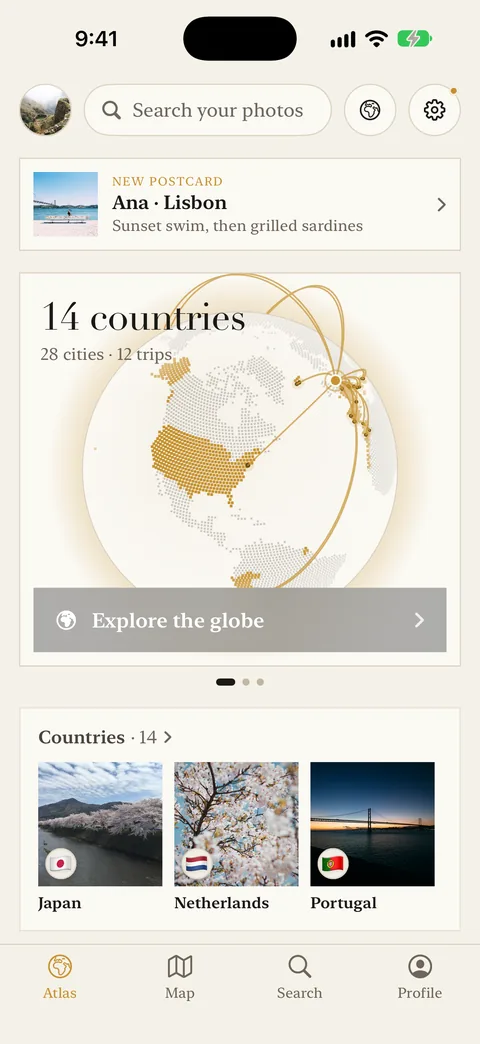
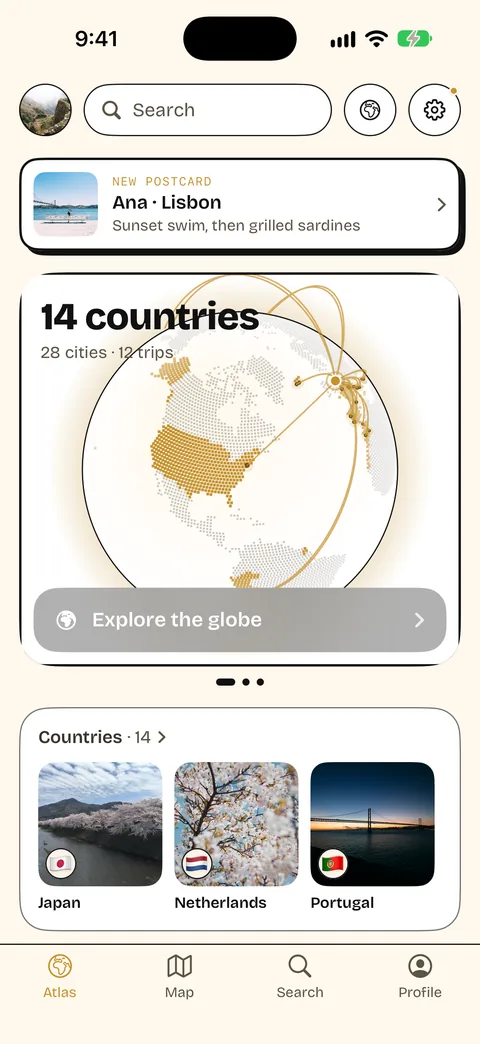
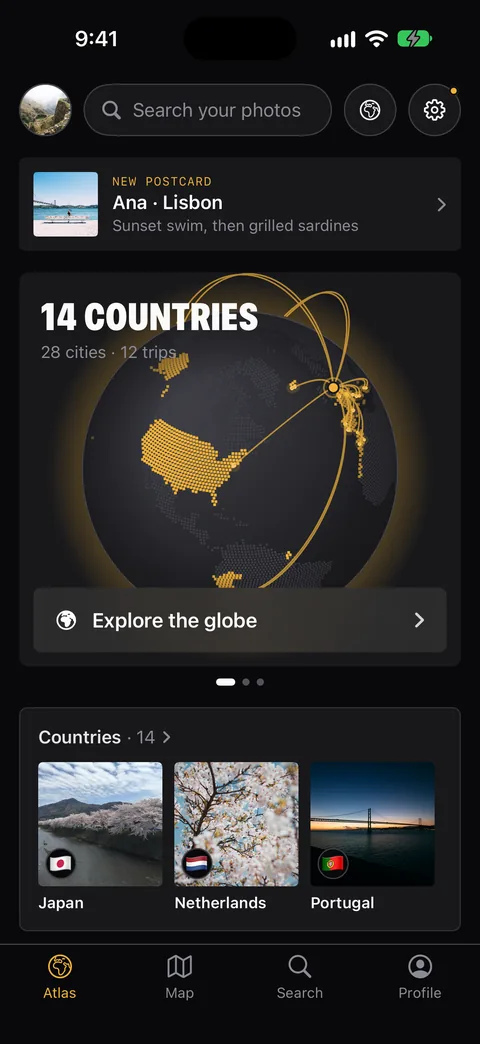
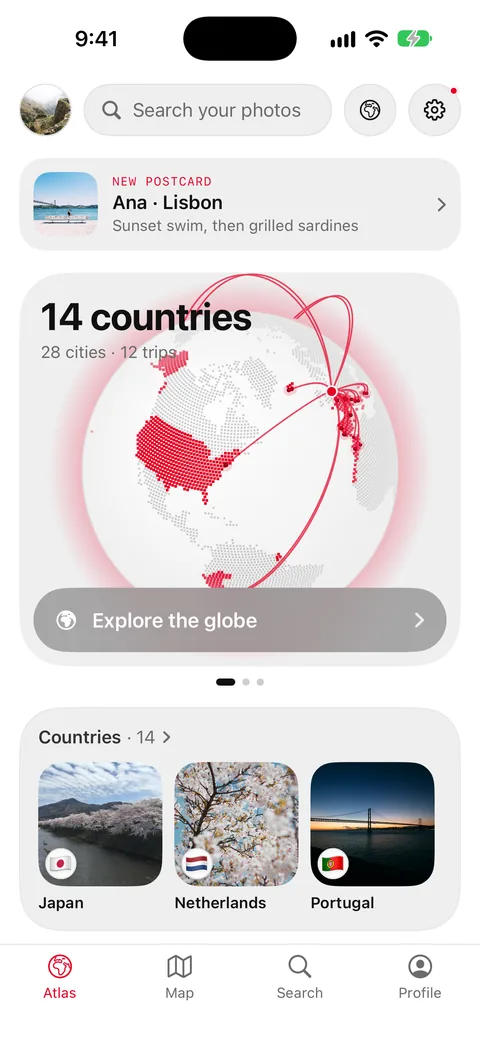
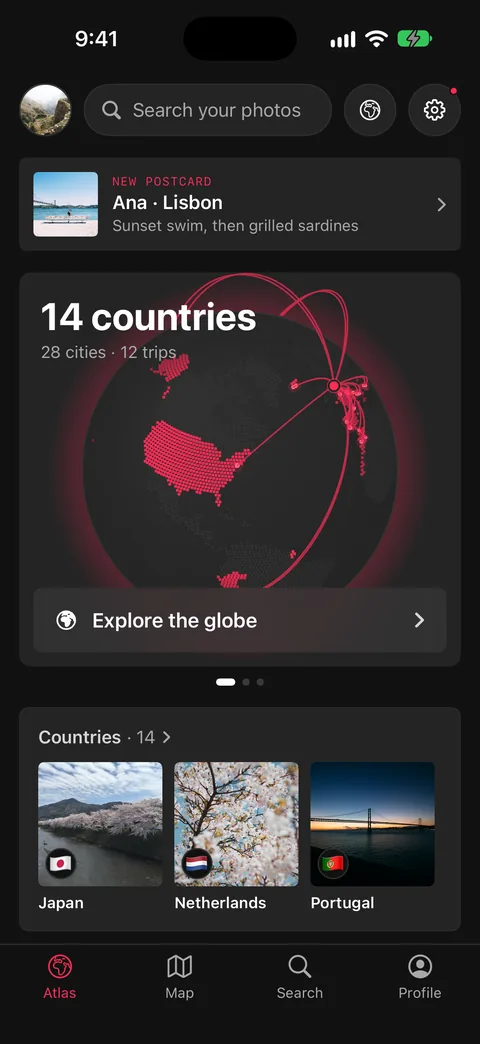
Change it whenever you like.
Open Settings, then Appearance, and tap a style. Each one is sketched as its own Profile, so you can see it before you pick it. Ricordo changes as you tap.
Your photos stay put
A style changes how Ricordo looks, never your photos, trips or edits. Photos always open on black.
Two are free
Atlas and Grid come with Ricordo. Ricordo Plus adds the other eight styles and all eight colours.
Readable in every style
Each style’s colours are checked so text stays easy to read, and every style grows with the text size you set on your iPhone.
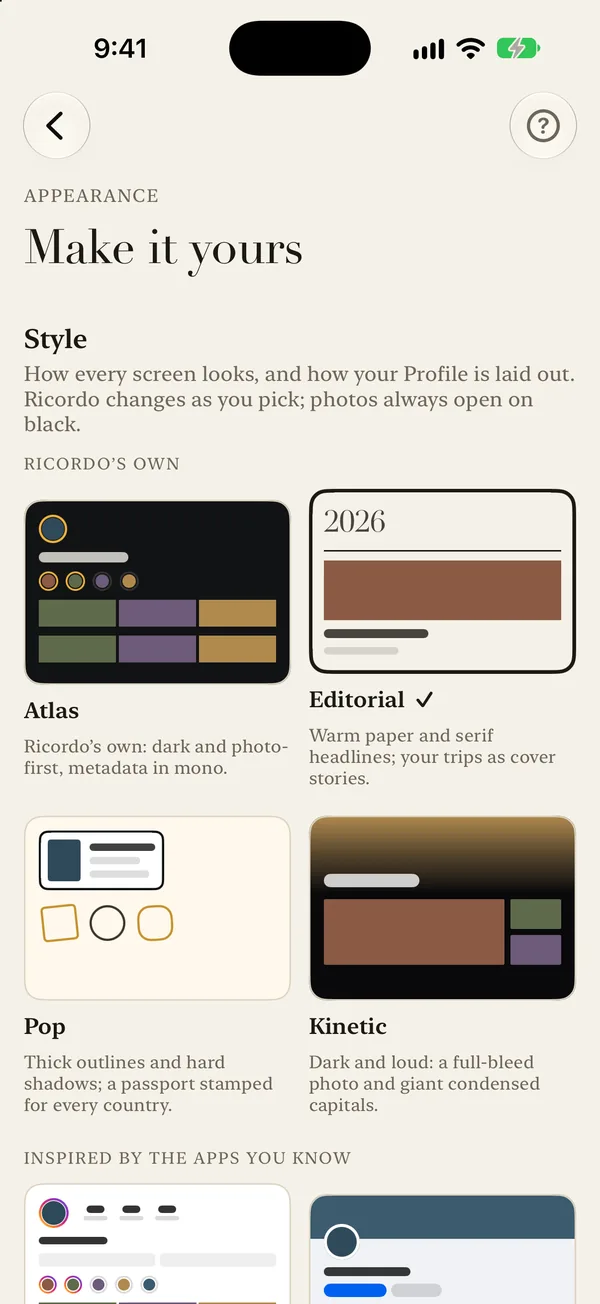
Find the one that feels like yours.
Ten styles, eight colours, one atlas of everywhere you’ve been.