Take your family on every trip.
When you’re away, send one photo from the day. It lands on the Home Screens of the people you love, with where you are and the time there. No group chat to scroll back through, nothing public.
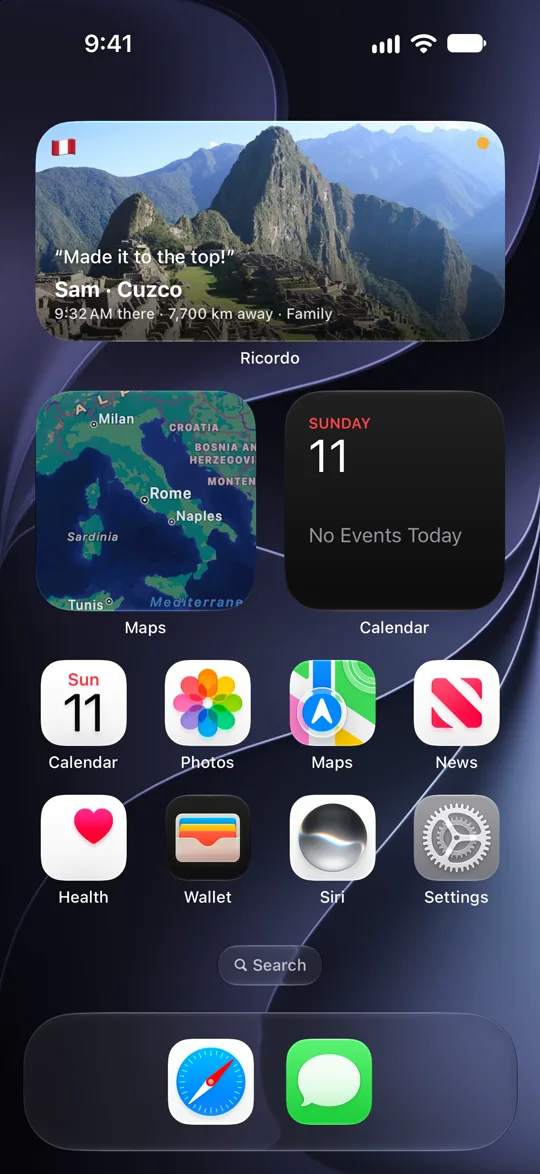
One group. A widget on every Home Screen.
Sam starts a group called Family. Mum taps the link and adds the widget. A photo from Machu Picchu lands on everyone’s Home Screen.
Four steps, and the first two happen once.
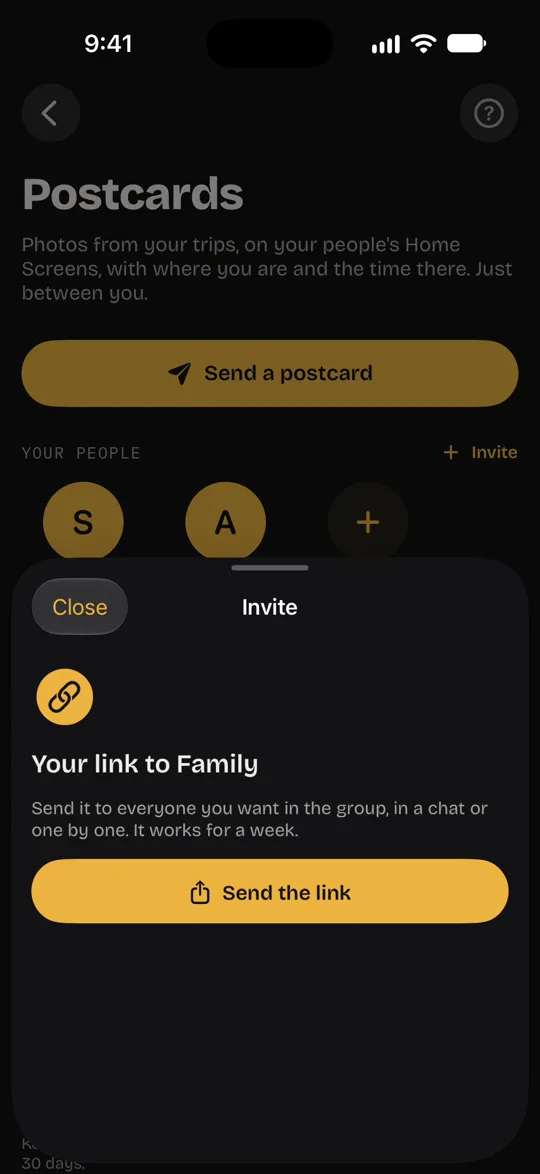
Start a group
Call it Family and send everyone one link, in your family chat or one by one. Up to 20 people. Or pair with just your partner.
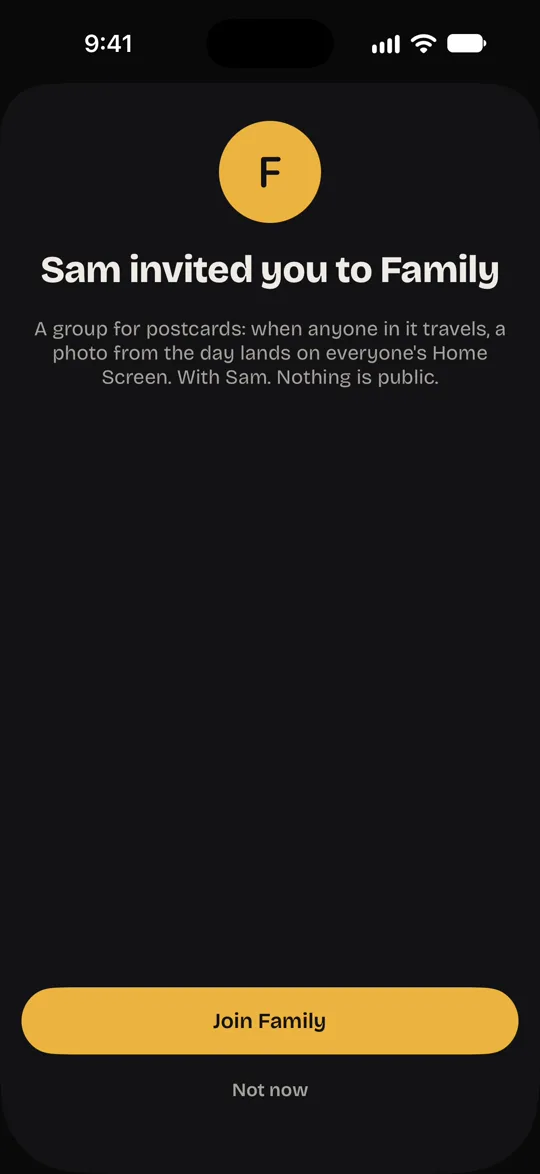
They join
They tap the link, join, and add the Postcards widget to their Home Screen. That’s all they ever have to do.
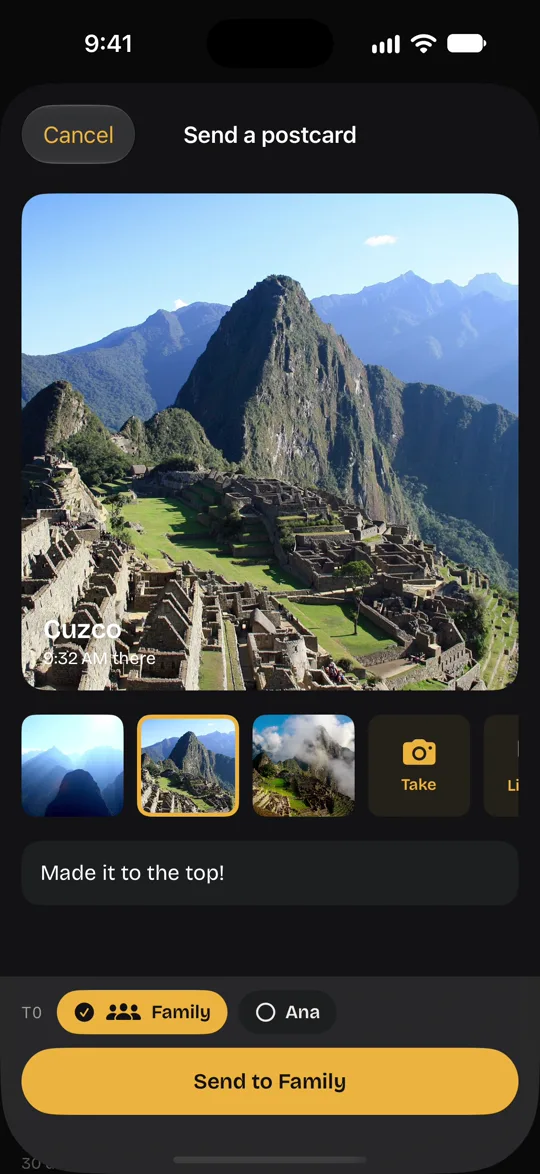
Send a moment
On your trip, pick a photo from today, add a line and choose who it’s for.
It lands at home
On their Home Screen, with the city, the time where you are and how far away. They don’t open anything.
Made for the people at home.
Nothing to learn
No feed to check and no app to open. The photo is simply there, on the screen they look at all day.
One moment, not a hundred
A single photo from the day says more than a camera roll dropped into the group chat.
The time there
They see where you are, the time there and how far away, so they know when to call.
Everyone in one place
Your partner, your parents, your brother abroad: groups and people, and each postcard goes to whoever you choose.
A nudge in the evening
On travel days, Ricordo can remind you once in the evening, with your three best photos of the day ready to send.
Every postcard kept
Postcards you send and receive stay together in an album on your iPhone.
Just between you.
Postcards are the one part of Ricordo that leaves your phone, so they share as little as possible.
Only who you invite
No profiles, no search, nothing public. People join only through an invite link.
Roughly where
A postcard carries the city and a point rounded to about 10 km. The photo is resized and stripped of its hidden data.
Gone in 30 days
Our server deletes every postcard after 30 days. The copies on your family’s phones stay until they remove them.
Always in your hands
Unpair, leave a group, report or block at any time. Deleting your account removes every postcard you sent from our server.
Good to know.
Does my family need Ricordo?
Yes. They install Ricordo on their iPhone or iPad, sign in with Apple and tap your link. They don’t need to travel, or use anything else in the app.
Do they have to open the app?
No. New postcards appear on the Postcards widget, and as a notification if they allow them.
Can I send to just one person?
Yes. Pair with your partner or a friend, start groups like Family or Friends, and choose who each postcard goes to.
What do they see?
Your photo and your line, the city, the time where you are and how far away you are.
Can a widget show just one person?
Yes. Touch and hold the widget, tap Edit Widget and choose Everyone, a group or one person. Put one for your partner and one for the family side by side.
Your family, on every trip.
Postcards are part of Ricordo, coming to the App Store.