How to share trip photos privately, without posting them
The most private way to share a trip is a link that only the people you send it to will open: the photos you pick, without their exact location, that you can take back whenever you like. A shared album or a few photos in a chat work too, with a few things to check first.

Ricordo · Share the trip, keep the libraryFree on the App Store, for iPhone and iPad
Download on the App Store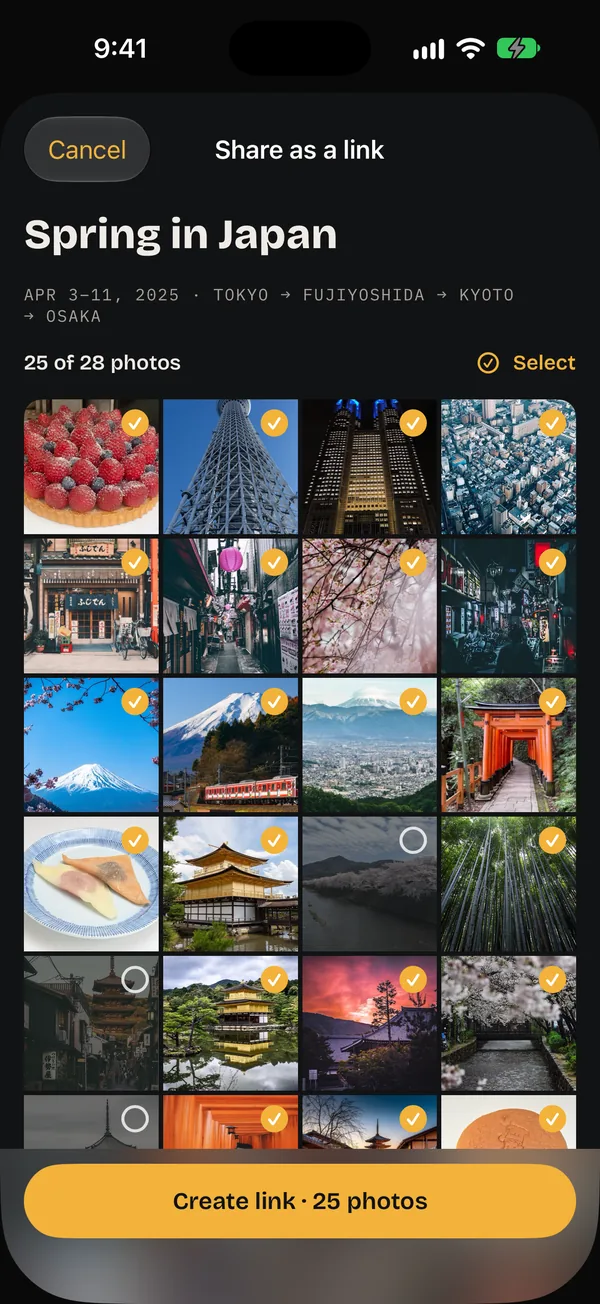
Three private ways to share a trip
Posting is only one way to show people where you went, and often not the one you want. Grandparents don’t need a feed, your friends don’t need all 400 photos, and nobody else needs to see any of them. These are the three ways most people share privately:
| Way | Good for | Watch out for |
|---|---|---|
| A private link | Anyone, on any phone or computer, with the photos you chose | Anyone you forward it to can open it too, so pick a service that lets you stop the link |
| A shared album in Photos | Family who all use Apple devices and want to add their own photos | It grows quietly, and it can be hard to remember who can see what |
| A few photos in a chat | One or two moments, sent right now | Every photo becomes a copy you can’t take back, and it may carry where it was taken |
There’s no wrong answer. A chat is fine for one sunset. For a whole trip, a link is usually kinder to the people receiving it and safer for you. If you do go with an album, here’s how shared albums work on iPhone, storage and all.
Before you send: check what goes with the photos
A photo taken on an iPhone with Location Services on remembers exactly where it was taken. That’s lovely for your own map, and less lovely when the photo is of your front door or your hotel room. When you share straight from the Photos app, you can leave the location out:
- Select the photos in Photos and tap the Share button.
- Tap Options at the top of the share sheet.
- Turn off Location, then tap Done and share as usual.
Check the setting each time you share something sensitive, and look through the photos once more: a screenshot or a photo of a document has a way of slipping into a selection.
For your Story, without giving away the rest
Sometimes you do want to post, just not everything. Every trip in Ricordo makes cards: the Trip, the Route on a satellite map, nine Photos, and a Passport card with your whole atlas. Each comes as a Story (9:16) or a Post (4:5). Once the trip has a link, its cards carry a QR code and the address, so people who want to see more can, and nobody else gets your library.
For family who’d rather not open links
Some people will never tap a link, and that’s fine. For them, send one photo a day instead: a postcard lands on the widget on their Home Screen with where you are and the time there, and they don’t have to open anything. The family photo widget guide walks through setting it up once.
Take it back whenever you like
Private sharing only stays private if you can see what’s out there. In Ricordo, Shared by you lists everything anyone can see, with how many times each link has been opened. Stop a link and its page comes down and its photos are deleted from the server.
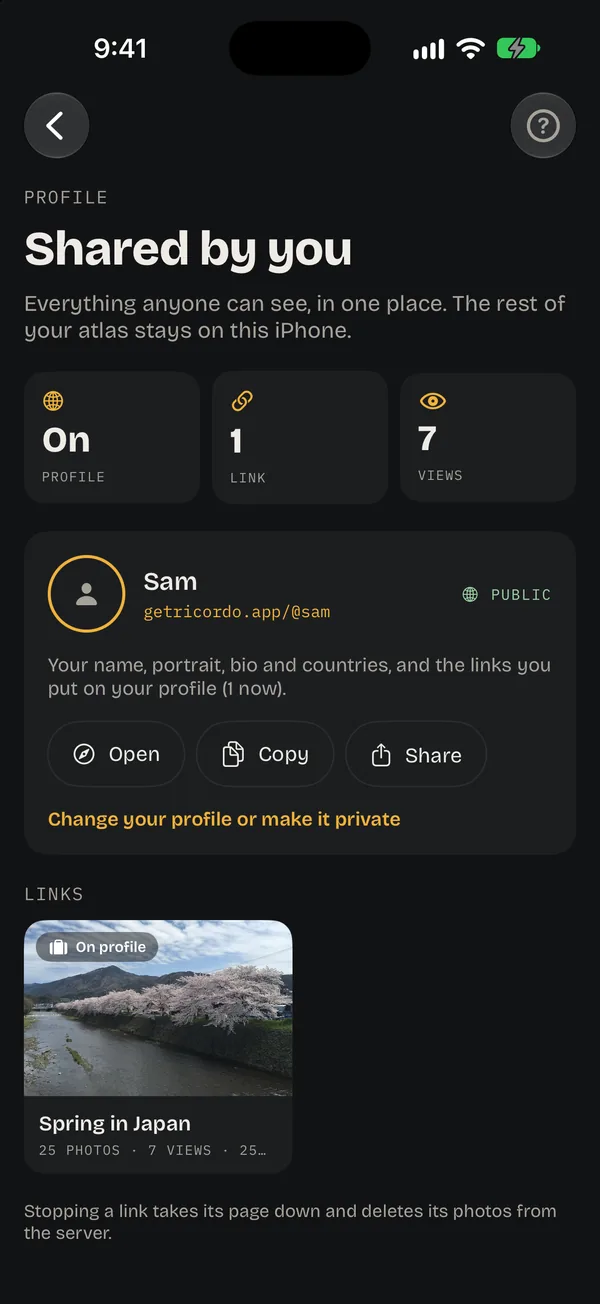
Shared trips also ask search engines not to list them, so they’re found only by people who have the address. Cards you’ve already posted stay wherever you posted them, so share those with the same care as any photo.
Questions
Do my friends need an app to see a shared trip?
Not with a Ricordo link. It opens in any browser, on any phone or computer, without an account.
Will a shared trip show up on Google?
No. Ricordo’s shared trips and profiles ask search engines not to list them, so only people with the address find them.
Do my photos still show where they were taken?
Not when you share from Ricordo: photos are cleaned of hidden data, including their location, and the page shows cities only. When sharing from Photos, turn off Location under Options.
Can I stop sharing a trip later?
Yes. Stop the link in Shared by you and its page comes down and its photos are deleted from the server.
Is sharing a trip free?
Yes. Links, cards and your public page are part of free Ricordo.