A travel journal that writes itself
Most travel journals end on day three, because writing every evening is hard on holiday. An automatic travel journal starts from what your phone already records, the photos with their places and times, and builds the trip from them: where you went each day, the route, the best moments. You add words only when you feel like it.

Ricordo · Your travel journal, already writtenFree on the App Store, for iPhone and iPad
Download on the App Store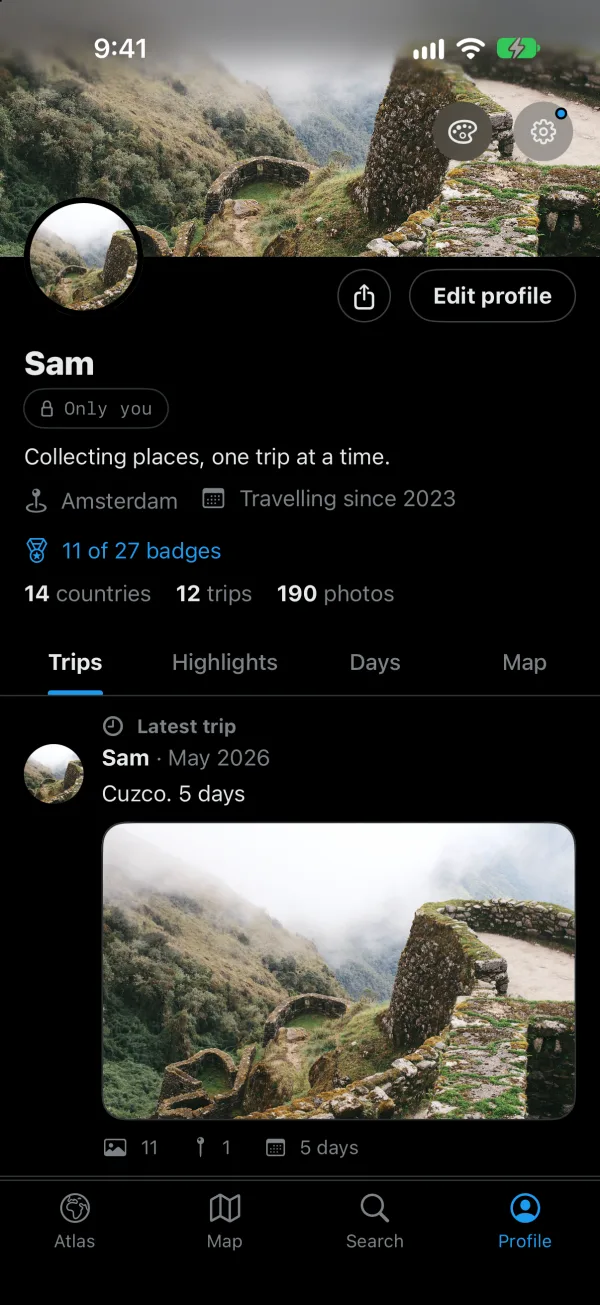
Why travel journals get abandoned
A paper journal asks for twenty quiet minutes at the end of a long day. Journal apps ask for the same, plus typing on a phone. Miss two evenings and catching up feels like homework, so the journal stops, usually just before the best part of the trip.
Meanwhile you took photos all day without thinking. That’s the record that never stops.
What your photos already record
- Where you were, from the location of each photo.
- When, down to the minute, so the days put themselves in order.
- The route, from one place to the next.
- What mattered: you photograph what you want to remember.
Put those together and you have the skeleton of a journal for every trip you’ve ever taken, including the ones from years ago.
How Ricordo turns photos into a journal
Ricordo finds your trips in your photo library on your iPhone and lays each one out like a journal:
- Named and dated: each trip is named after where you went, like “Spring in Kyoto”, with its dates.
- Day by day: every day with where you were, its best photos and how you got around.
- Relive the trip: play it as a story, a page at a time.
- A few warm lines: on iPhones with Apple Intelligence, Ricordo can write a title and a short story for each trip, on the phone, from its places and dates (trip stories come with Ricordo Plus).
- The weather: turn it on and see what the sky was like on every day of a trip (with Ricordo Plus).
Want your own words in it? Rename a trip and add a description. And on days away from home, Ricordo can send one reminder in the evening: your three best photos of the day, ready to send as a postcard, or, until you’ve paired with someone, a line to write about the day. Never at home.
Keep it, print it, share it
- As a photo book: any trip laid out as a book, with the cover, the route and a page or two a day. See making a photo book of a trip.
- As a film: every highlight plays as a short film. See making a travel video from your photos.
- As a link: send the trip to the people who were there. See sharing trip photos privately.
Or keep it to yourself. A journal doesn’t need an audience: Ricordo has no feed and posts nothing for you (more in a private photo profile).
Tips for a better automatic journal
- Let the Camera use your location (Settings → Privacy & Security → Location Services → Camera), or your photos can’t say where they were.
- Screenshot your boarding passes. Ricordo reads them and adds your flights to the trip.
- Take one photo of each meal, sign or street. Small photos make the days easy to tell apart later.
Questions
Is there a travel journal app that fills itself in?
Yes. Ricordo builds a journal for every trip from your photos: where you were each day, the route, how you got around and the best photos. You add words only if you want to.
Does it work for trips I took years ago?
Yes. It reads your whole photo library, so every trip with photos is there, as far back as your photos go.
Can I write my own notes?
Yes. Rename any trip and add a description, and on travel days an evening reminder can ask for a line about the day.
Who can see my journal?
Only you. Ricordo works on your iPhone, with no account and no feed. Nothing is shared unless you share it.