How to make a travel video from your photos on iPhone
The quickest way is to let your iPhone make it: the Photos app turns photos into memory movies, and travel apps can make a film of each trip on their own. If you’d rather edit, keep it under a minute, upright (9:16) for Stories, and open on your single best photo.

Ricordo · Your trips are already filmsFree on the App Store, for iPhone and iPad
Download on the App Store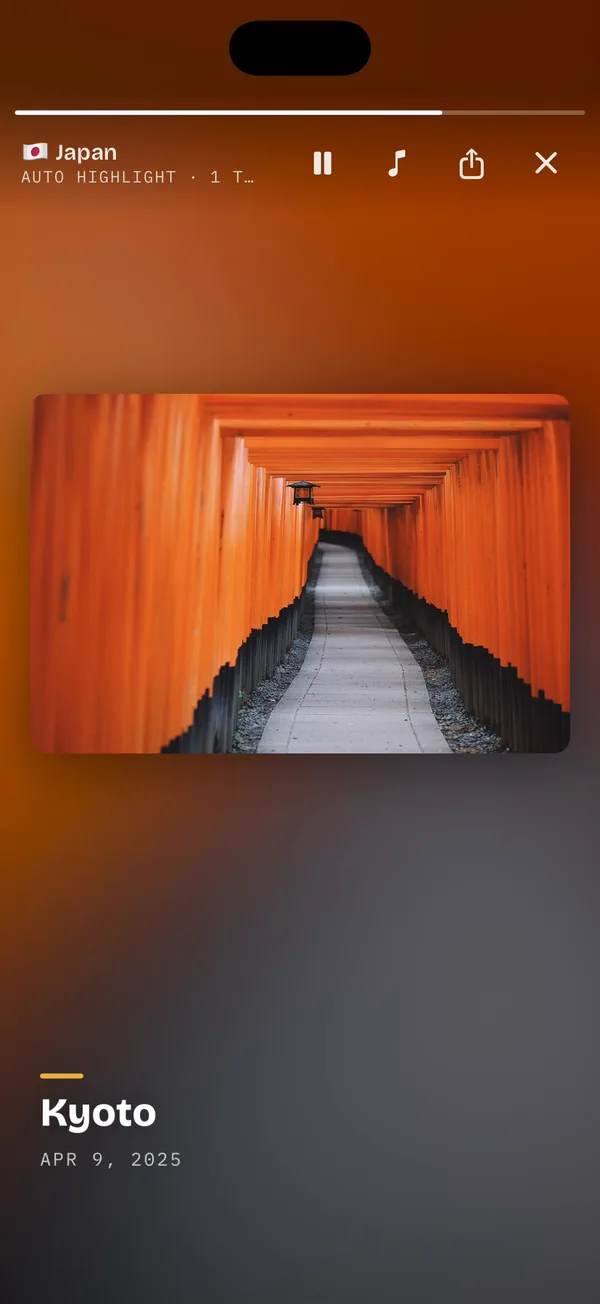
What makes a good travel video
- Short. Under a minute fits a Story and keeps people watching to the end.
- Upright. 1080 × 1920 (9:16) fills a phone screen; most people will watch it on one.
- A strong opening. Your best photo first, full screen, with the name of the place.
- Grouped by place. Photos from the same spot together, in the order you went, so the trip reads like a journey.
- Say where and when. A place name and a date on screen turn a slideshow into a story.
- An ending. Something that closes it: a map, your numbers, the last sunset.
With the Photos app
Your iPhone makes memory movies from your library on its own, with music and transitions. Open Photos, find Memories, and play any memory; you can change its music and length, and share it as a video. You can also make one from an album you’ve made for a trip. On iPhones with Apple Intelligence, you can describe the memory you want in your own words.
Memories are lovely, but they’re made from moments Photos picks, not always the trip you had in mind, and they don’t show where the trip went.
Editing it yourself
Any video editor on the iPhone will do the job if you have the time:
- Pick 15 to 30 photos from the trip, in order. If your photos aren’t sorted into trips yet, see organising travel photos by trip.
- Set the project to 9:16.
- Give each photo one to two seconds, and add slow movement so it doesn’t feel like a slideshow.
- Add the place names as text, and a title at the start.
- Export at 1080 × 1920 and save it to Photos.
It looks great. It also takes an hour per trip, which is why most trips never get one.
Let the film make itself
In Ricordo, every highlight on your Profile already plays as a short film, made on your iPhone from your own photos. Nothing to edit. A film unfolds in four beats:
- It opens on your best photo, full screen, with the name and the year, like a magazine cover.
- The globe, for trips far away: it turns to where you went and the route draws in, with how far it was from home.
- Prints that land: photos from the same place land together like prints on a table, whole and never cropped, each page saying where and when.
- It ends on your numbers: the globe with everywhere the film went, your trips, cities and photos.
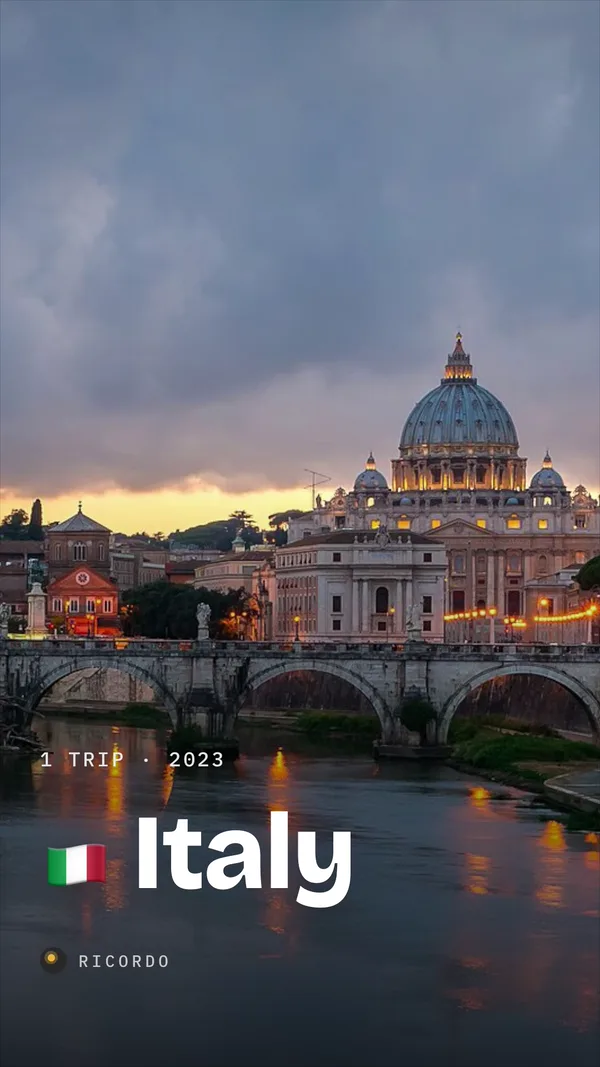
Tap Share as video and Ricordo makes a 1080 × 1920 film, short enough for a Story, ready to save to Photos or send in any chat.
Watching films is free, and so is saving the film of your year. Saving the others as a video, and making films of the photos you pick, come with Ricordo Plus.
Rather hold the trip in your hands? The same photos make a book: see a photo book of your trip. And for the whole year at once, see a year in review from your photos.
Questions
How do I make a video from my trip photos on iPhone?
The Photos app makes memory movies on its own, and you can make one from an album. Ricordo plays every highlight as a short film and saves it as a 1080 × 1920 video for your Story.
How long should a travel video be?
Under a minute for a Story or a chat. It keeps people watching to the end, and it’s enough for 15 to 30 photos.
Are my photos uploaded to make the film?
No. Ricordo makes and saves films on your iPhone. Nothing is uploaded unless you share it.
Is it free?
Watching every film is free, and so is saving the film of your year. Saving other films as a video comes with Ricordo Plus.