How to find your travel history for a visa or citizenship application
Visa, residence and citizenship forms often ask for every trip abroad in the last five or ten years, with dates. Your photo library is the best place to start: the first and last photo of each trip bracket the dates, and their locations name the countries. Then check the list against tickets, booking emails and official records before you send it.

Ricordo · Every trip abroad, with its datesFree on the App Store, for iPhone and iPad
Download on the App Store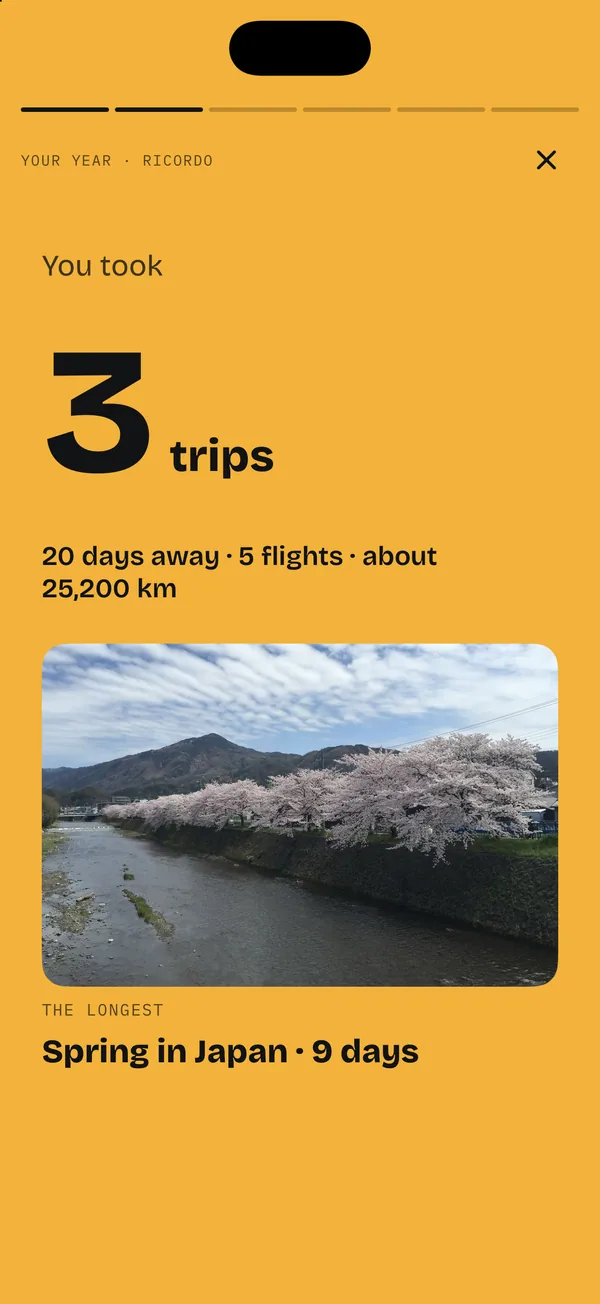
Who asks for your travel history
More forms than you’d think. Some common ones:
- Visa applications, which often ask which countries you’ve visited in recent years.
- Residence and citizenship applications, which usually want every trip out of the country, with the dates you left and came back.
- Tax residency, where the number of days you spent in a country can matter.
- Background checks for some jobs.
Each one has its own rules about how far back to go and what counts as a trip. Read the form’s own instructions first: they decide, not this guide. Some have guides of their own: for citizenship, the US N-400, UK citizenship and ILR, Canadian citizenship and Australian citizenship; for visas and residence, the US DS-160, a UK visa and Canada’s IMM 5562; and for a US security clearance, the SF-86.
Where to look
No single source has everything, so combine a few:
| Source | What it gives you | Watch out for |
|---|---|---|
| Your photos | Where you were and when, for every trip you photographed | Days without photos; photos without a location |
| Boarding passes | Exact flight dates and airports | Only the flights you kept |
| Booking emails | Flights, trains and hotels with dates | Plans that changed after booking |
| Passport stamps | Official entry and exit dates | Many borders don’t stamp, and e-gates rarely do |
| Card statements | Spending abroad, by date | Only shows you were spending, not where you slept |
| Official records | Some border agencies keep your arrivals and departures | Not every country offers them, and some only cover recent years |
If the country you’re applying to keeps entry and exit records, ask for yours or look them up where that’s offered. Official dates beat anything you reconstruct.
Rebuild it from your photos
By hand, it goes like this: open the map of your library (see seeing your photos on a map), find each cluster abroad, open it, and note the first and last date. For ten years of photos, set aside an afternoon.
Or let Ricordo do it. It reads where and when each photo was taken, on your iPhone, learns where home is, and lists every trip away with its dates and countries:
- Every trip, with dates. A trip starts when your photos are more than 50 km from home and ends after more than two days without photos away, or a day back home.
- Every country, with when you first went and every trip there.
- Your flights, from the boarding passes in your screenshots (see the flight log guide).
- Why is this a trip? on each one, so you can see where its dates come from.
Living in the Schengen area or travelling there often? With Ricordo Plus, Ricordo also works out your 90 days in any 180 from your photos. For a quick check by hand, use the free Schengen calculator.
Check it before you send it
Photos are good evidence for your own list, but they’re not proof. Before you write anything on a form:
- Mind the edges. Your first photo abroad is usually a few hours after you left, and your last one a little before you got home. Use your tickets for the exact days.
- Look for gaps. A trip with no photos won’t be on the list. Check your booking emails and statements for the years in question.
- Place the photos without a location. They can hide a trip. See adding a location to photos.
- Count days the way the form does. Some count the day you leave and the day you return; some don’t. For UK settlement and UK, Canadian and US citizenship, the free absence calculator counts your whole days abroad the official way.
- Keep a copy of what you send, with your sources, in case you’re asked about it later.
Questions
How can I find out which countries I visited and when?
Start with your photo library: the location and date of each photo show where you were. Ricordo lists every trip with its dates and countries. Then check the dates against tickets and booking emails.
Can I use photos as proof of travel dates?
Use them to build your list, not as proof. Forms expect the dates you crossed borders, which your tickets, bookings and official records show more exactly.
What if I didn’t take photos on a trip?
It won’t show up from photos. Search your email for bookings, check card statements, and look at your boarding passes for the years you need.
Does Ricordo upload my travel history?
No. Your trips, places and flights are worked out on your iPhone, and nothing is sent anywhere unless you share it.